

Buildersbuilder
Report Designer
How do we give each role the reports it should see — and only those?
Design tabular reports on live operational data, organize them into categories and trees, and grant each one to positions and partners. A viewer sees what the seat they hold allows — nothing more, and nothing that has to be rewired when people change roles.
How it works
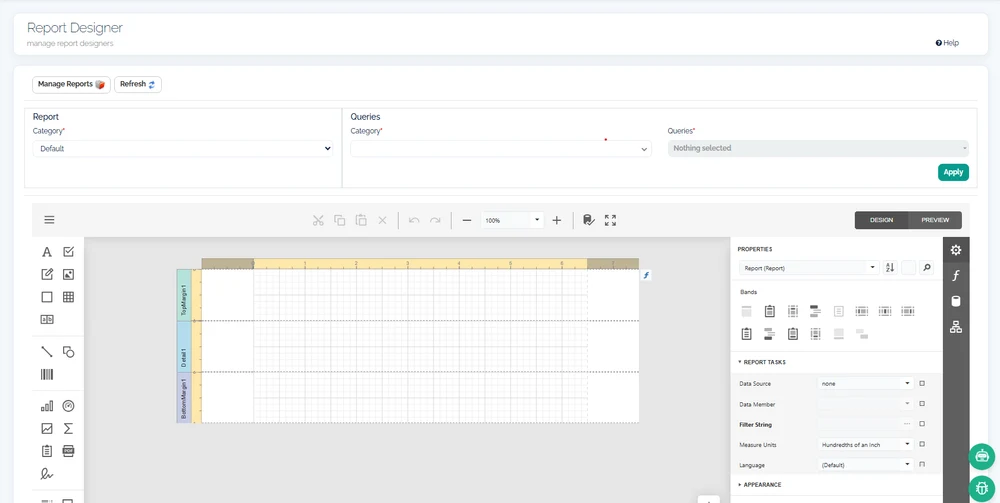
Reports are designed against saved queries from the shared data layer, in a full report designer built on a mature enterprise rendering engine. continON does not reinvent rendering; its contribution is the governance layer wrapped around it.
That layer is what makes a report library manageable. Reports are filed into categories and navigable trees rather than one flat list, and visibility is granted to positions in the org chart or to partners — not to named individuals. Someone stepping into a seat inherits its reports; someone leaving it loses them, with no permissions ticket in between.
Reports can also bind to workflow states, opening against the record in hand at that step. The result is reporting that lives where the work happens and answers to the same organizational model that routes the work itself.
What it binds to
Report Designer
Bound to saved queries
Every report reads through the shared query catalog, so its numbers come from the same definitions the rest of the platform uses.
Position and partner grants
Visibility attaches to a position-in-unit or a partner, so access follows the org chart through every personnel change.
Categories and report trees
A growing library stays navigable — operators find the right report by structure instead of scrolling a flat list.
Bound to process states
A report can auto-bind to a workflow state and open against the record being worked on.
What this touches
- Query & Data Source Builder
Report data comes from the saved-query catalog — one governed definition per source. - Dashboard Designer
The same grant model scopes interactive dashboards built on the same queries. - Organization & positions
Grants resolve against seats in the org chart, not named users. - Identity & access
Report visibility is one application of the platform’s position-based access model.
See report designer running in continON.
A guided walkthrough on a sanitized demo tenant — this capability inside its module, on the shared platform.