

Per-Project Dashboards & Reports
How do we monitor a running project without building a spreadsheet?
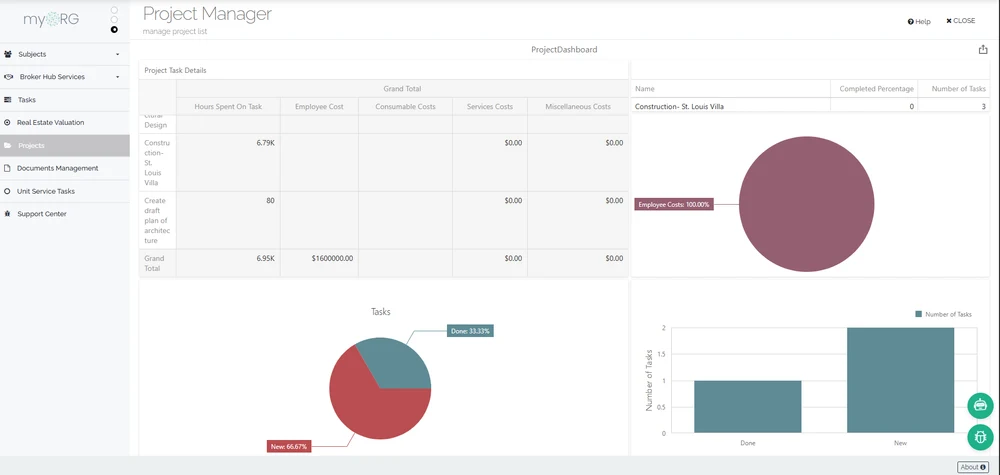
A project’s dashboard renders inside the project screen, with the project id passed as a parameter to the dashboard definition. One definition serves every project, each seeing its own data.
How it works
The project screen embeds a dashboard viewer that requests a dashboard by name and injects the current project id as a typed parameter. The same definition therefore behaves as a per-project view: open a different project and the widgets recalculate against that project’s records.
Dashboard and report definitions are built with the platform designers — queries feeding dashboards and designed reports — and access is granted through position-based permissions, so who sees a project view is decided by seat, not by sharing links.
What the view returns
Drawn from Project ManagementScoped toOne project at a time, from one definition
Project id as a parameter
The viewer passes the project id as a named, typed parameter into the dashboard definition at render time.
One definition, every project
A single dashboard by name serves the whole register; each project screen shows its own slice of the data.
Designed, not hard-coded
Dashboards and reports are authored with the platform designers against saved queries, so project views change without code.
Position-gated access
Dashboard visibility follows granted permissions tied to positions in the organization model.
What this touches
- Builders
The dashboard and report definitions the project screen renders are authored in the platform designers. - Identity & Access
Viewing a project dashboard requires the granted permission, resolved through the position model. - Organization model
Dashboard grants reference seats in the organization structure, so access follows the seat, not the person.
See per-project dashboards & reports running in continON.
A guided walkthrough on a sanitized demo tenant — this capability inside its module, on the shared platform.